The Subledger Built for Crypto Accountants
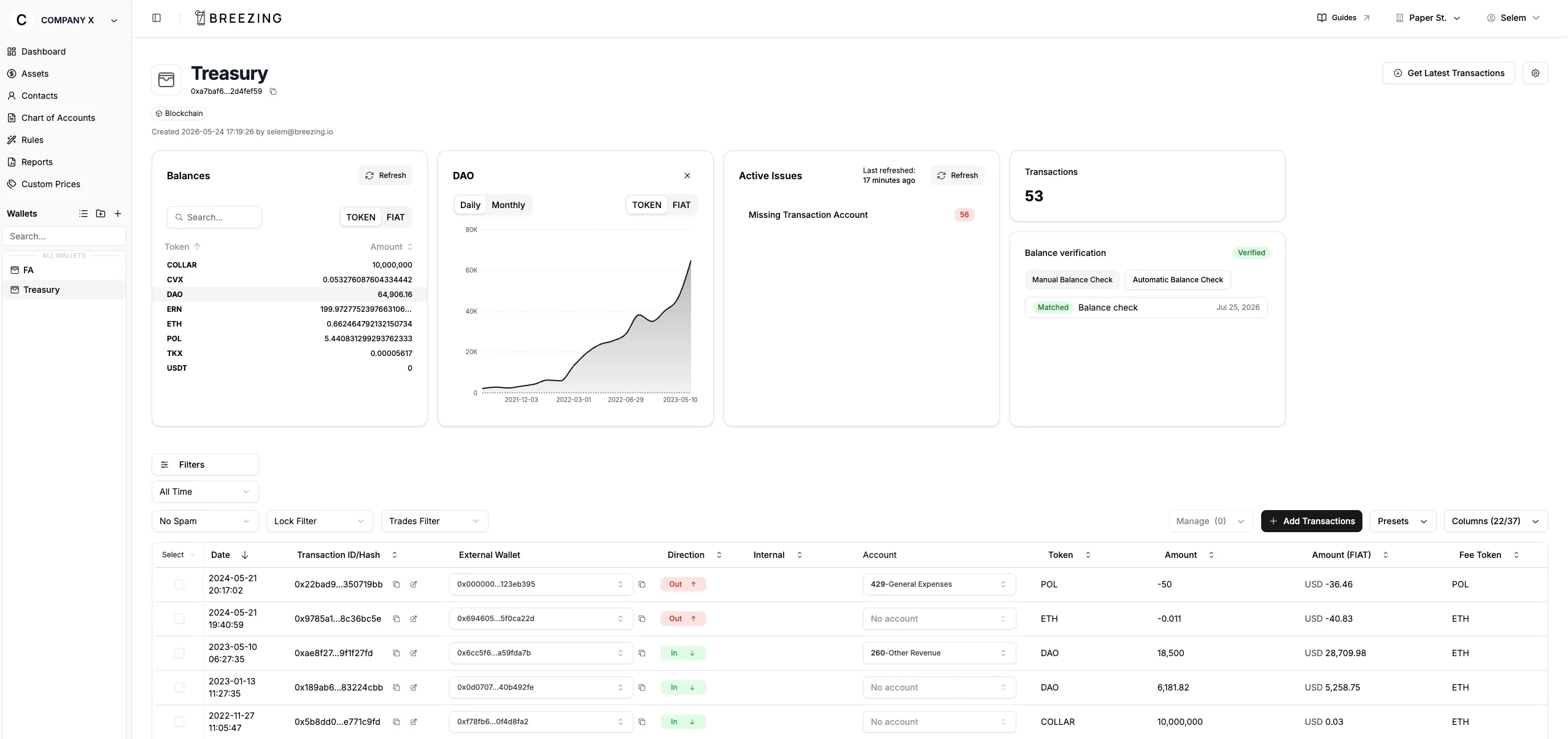
Import every wallet and exchange, verify balances against the source, and post clean journal entries to your ledger.
Audit ready from day one, at a hundred transactions or a million.
Making crypto accounting a breeze for 200+ businesses


























How it works
From wallet address to posted journal entry
- 01
Connect wallets & exchanges
Paste an address or API key. Breezing figures out the chain.
- 02
Import transactions
Everything flows in from supported blockchains and exchanges, spam already filtered out.
- 03
Map to your chart of accounts
Rules handle the repetitive work. Flag anything for your client to sign off.
- 04
Sync to your ledger
Journals post to Xero, QuickBooks, or Bexio. Made a mistake? Sync again, it updates.
Balance verification
Your balances match the blockchain, 100%
Breezing allows you to check every token on every chain against the block explorer automatically on any period.
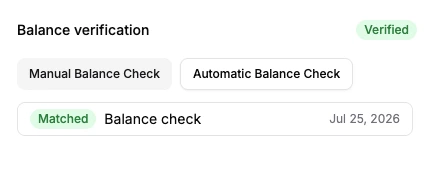
A wallet passing its balance check in Breezing.
CLOSE INVOICES AND BILLS
Close invoices and bills without a clearing account
Xero: Pick the open invoice or bill, set the amount, submit.
QuickBooks: Post to A/R or A/P against the customer or vendor.
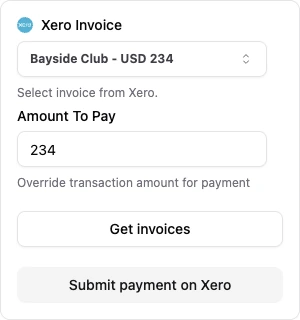
Closing a Xero invoice in Breezing.
Built for the full accounting close
Auto Spam Detection
Detect, label, and hide spam automatically.
FIFO, LIFO, HIFO & WAC, per wallet or universal
Gains and losses by the method your jurisdiction requires.
Create Rules
Set it once. New transactions categorize themselves.
Auto Account Labeling
Accounts fill in automatically based on transaction type.
Integrations
Every chain or exchange your clients touch
Wallets & exchanges







Breezing
Your ledger


- 62Blockchains
- 17Exchanges
- 6Accounting systems
What accountants say
“Breezing is very easy to use! From adding wallets, mapping transactions to the COA, and syncing to Xero. The support team is also very helpful.”
“The interface is very easy to navigate and there are a lot of features to be able record transactions to many specifications”
“As an accountant, I can't praise Breezing enough for simplifying the complex task of managing crypto transactions in Xero.”
“I've used Breezing now across a couple of my clients, at an extremely affordable rate this is a great crypto subledger. Very easy to navigate and use and a pro active dev team ready to implement any changes.”
“This is my first time using Breezing Subledger, and I've found it very user-friendly thanks to its clean and intuitive interface. Additionally, the support team is exceptionally responsive whenever we reach out with questions.”
“The features are built for corporates (accountants and auditors), which is great because most tools focus on individuals who don't have the same requirements. The calculations and options (including cost basis) are excellent.”
Pricing
6 plans, from 600 to 1,500,000 transactions. Unlimited wallets and users, no per seat fees.
Billed in USD, CHF, GBP, EUR, or CAD. Talk to us about volume
Frequently asked questions
How does Breezing connect to Xero and QuickBooks?
What happens to transactions from before I started using Breezing?
Is my clients' data secure?
Do I need a developer or technical setup to get started?
Which gain and loss calculation methods do you support?
Still have questions? Contact us